.avif)
TL;DR
- ContactOut is a Chrome extension that surfaces emails and phone numbers on LinkedIn in 2-3 seconds, strongest at personal emails (Gmail, Yahoo, Outlook), and it's the finding half of a stack you'll pair with SalesRobot for the outreach half.
- Plans run $49-$99/mo, billed per seat with no shared pool, and "unlimited" really means 2,000 emails / 1,000 phones a month with no rollover.
- Real-world accuracy is 75-85% for US business emails and lower for phones (~50-60%), not the advertised 99%.
- It's really three tools in one (extension, database search, and email campaigns), but the campaign layer is single-channel email with no warm-up.
- Reviews are split: 4.4 on G2 and 4.8 on Chrome, but 1.4 on Trustpilot over consent and opt-out complaints, plus GDPR risk on personal-email outreach.
- Bottom line: use ContactOut if you're finding under 2,000 contacts a month; use SalesRobot to actually run the LinkedIn + email follow-up.
👉 Find them with ContactOut, book them with SalesRobot. Try it free for 14 days.

You Found the Lead on LinkedIn. Now What?
Picture this: it's 4 PM on a Tuesday, and you've just found the exact VP of Sales you've been hunting for on LinkedIn.
You hit "connect." Then you wait.
Three days later, still nothing, because the average LinkedIn connection request goes ignored, and personalized notes only move the needle so far.
That's the gap ContactOut promises to fill. Install the Chrome extension, open a profile, and boom, there's the email address, no acceptance required.
Sounds great. But the internet is full of email finders that promise the moon and deliver a bounce folder.
So this review tests the real stuff: how accurate ContactOut actually is, what "unlimited" really means when you read the fine print, what it costs at scale, and (the part every other review skips) what you're supposed to do after you get the email.
ContactOut: What You Need to Know Before You Install It
ContactOut launched in 2015 out of San Francisco, and now markets access to 350M professionals across 40M companies, claiming 1.4M recruiters and sales reps use it, including teams in 76% of the Fortune 500.
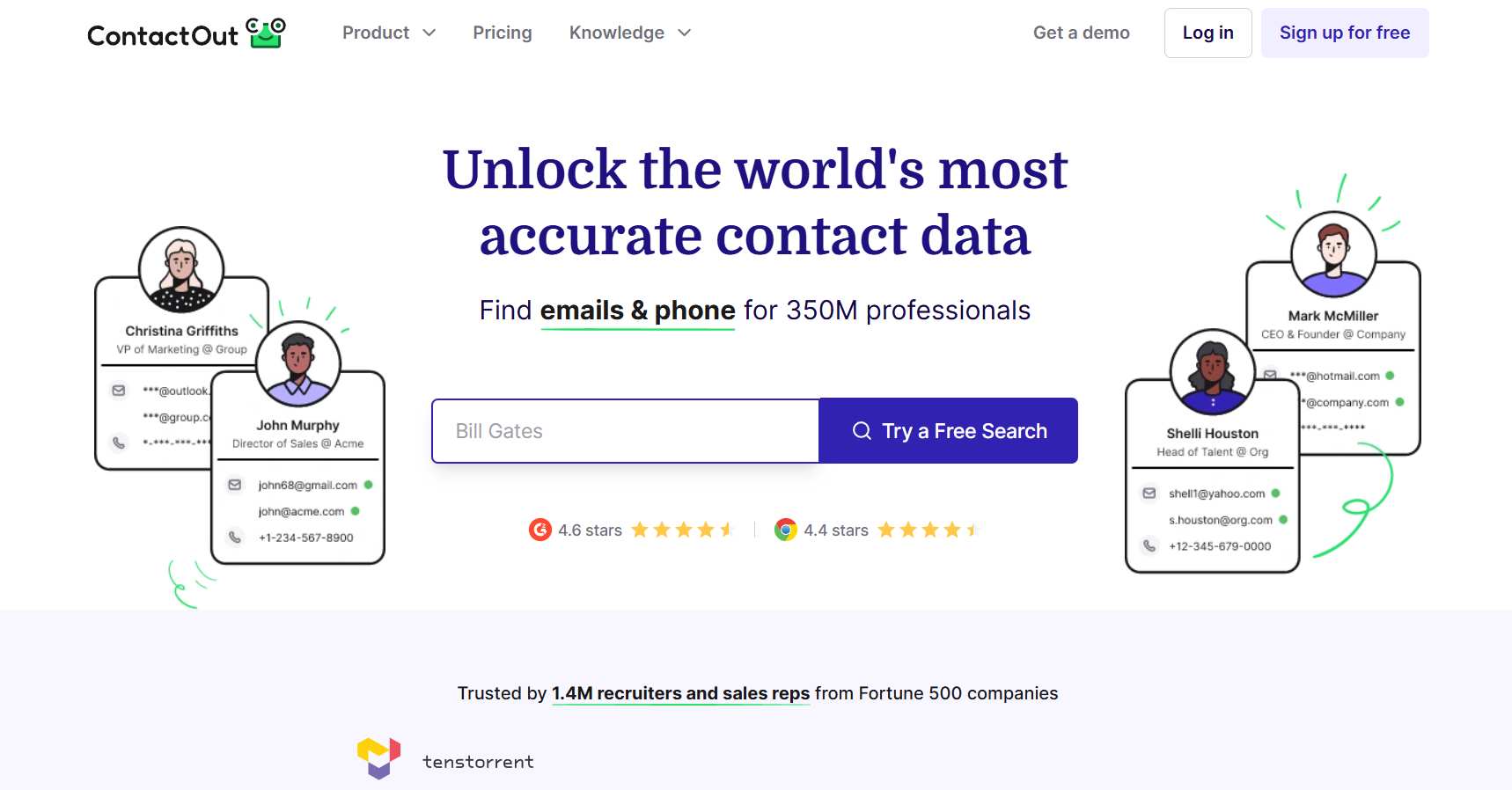
Here's the honest picture, strengths and concerns woven together:
- ✅ One-click lookup is genuinely fast. Open a LinkedIn profile and results appear in 2-3 seconds, with no copy-pasting names into a separate tool.
- ✅ Personal email coverage is the real differentiator. While most B2B tools return only corporate emails, ContactOut also surfaces Gmail, Yahoo, and Outlook addresses, which is a big deal for recruiters.
- ✅ The ratings lean positive where it counts. ContactOut holds 4.4/5 on G2 from 109 reviews and around 4.8/5 on the Chrome Web Store, with recruiting teams especially fond of it.
- ⚠️ "Unlimited" isn't unlimited. The terms of service cap paid plans at 2,000 email credits and 1,000 phone credits per account per month, or roughly 91 email lookups per business day.
- ⚠️ Credits don't roll over. Use 1,000 of your 2,000 emails in January, and the unused 1,000 vanish in February.
- ⚠️ It's per-seat with no shared pool. Five users each get their own separate caps, and there's no team credit bucket to draw from.
- ⚠️ Trustpilot tells a darker story. ContactOut sits at 1.4/5 from 113 reviews on Trustpilot, with complaints clustering around consent and opt-out issues.
- ⚠️ GDPR risk with personal emails. Using someone's Gmail for cold European outreach is exactly the kind of thing regulators frown on.
ContactOut's Key Features, Broken Down
ContactOut is really three products stitched together: the extension, the search portal, and email campaigns. Here's what each actually does.
The Chrome Extension: One-Click Email Lookup
The extension is the flagship. It surfaces emails and phone numbers directly on LinkedIn profiles (and a handful of other sites) in 2-3 seconds.
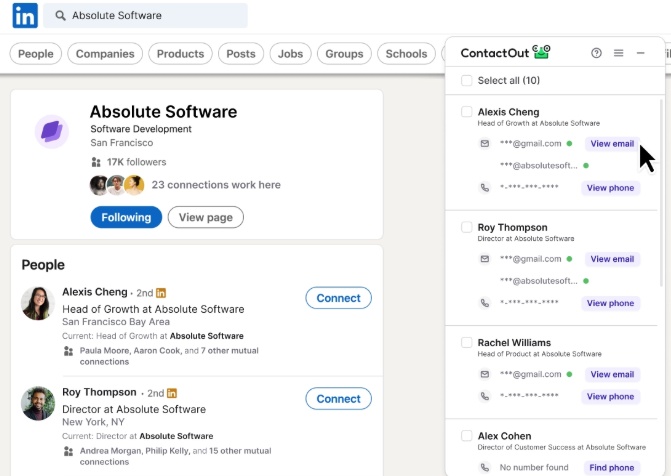
Think of it as a floating panel that appears the moment you open a profile. No hunting, no separate tab, no copy-paste dance.
For recruiters and SDRs living inside LinkedIn all day, this is the feature that earns the install. It's fast, it's native, and it fits an existing workflow instead of fighting it.
The Search Portal: Prospect Without LinkedIn
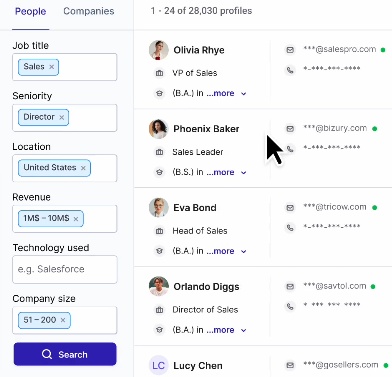
Beyond the extension, ContactOut offers a standalone database search across its 350M professionals and 40M companies, so you can build lists without browsing profiles one at a time.
For example, you could pull a batch of VP of Sales contacts at SaaS companies in Austin without ever opening a LinkedIn tab.
One catch worth flagging: coverage isn't the biggest in the category. RocketReach, by comparison, markets 700M+ professional profiles and 35M+ companies, a meaningfully larger pool.
The bigger bottleneck is exports. The Email plan caps exports at roughly 300 per month, and the Email + Phone plan at around 600. A lookup you can't export into your workflow is a lookup you can't use.
Email Campaigns: The Built-In Outreach Layer
ContactOut also bolts on a basic email campaign tool so you can send drip sequences from inside the product.
Here's the honest caveat: it's single-channel email only (no LinkedIn sequencing), and it doesn't include email warm-up or deliverability infrastructure.
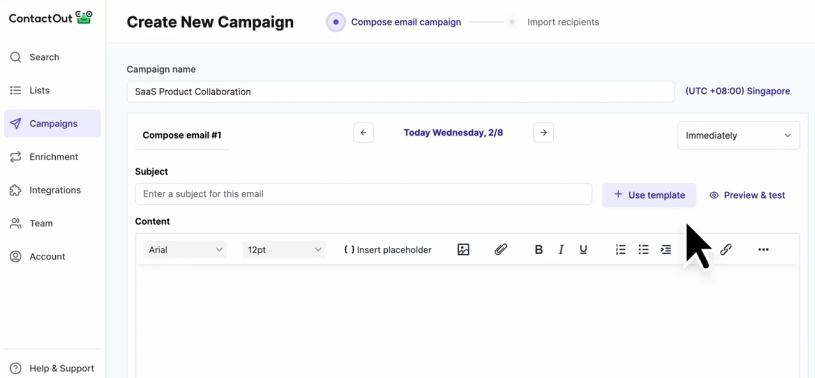
Sending cold email without warm-up is how you land in spam. That aligns with the Trustpilot complaint cluster, where reviewers report emails getting flagged.
In short: ContactOut is excellent at finding the contact. The sending part is where things get thin, which we'll come back to in the verdict.
ContactOut Pricing: How Much Does It Actually Cost?
ContactOut's pricing looks simple on the surface and gets more complicated once you read the fine print.
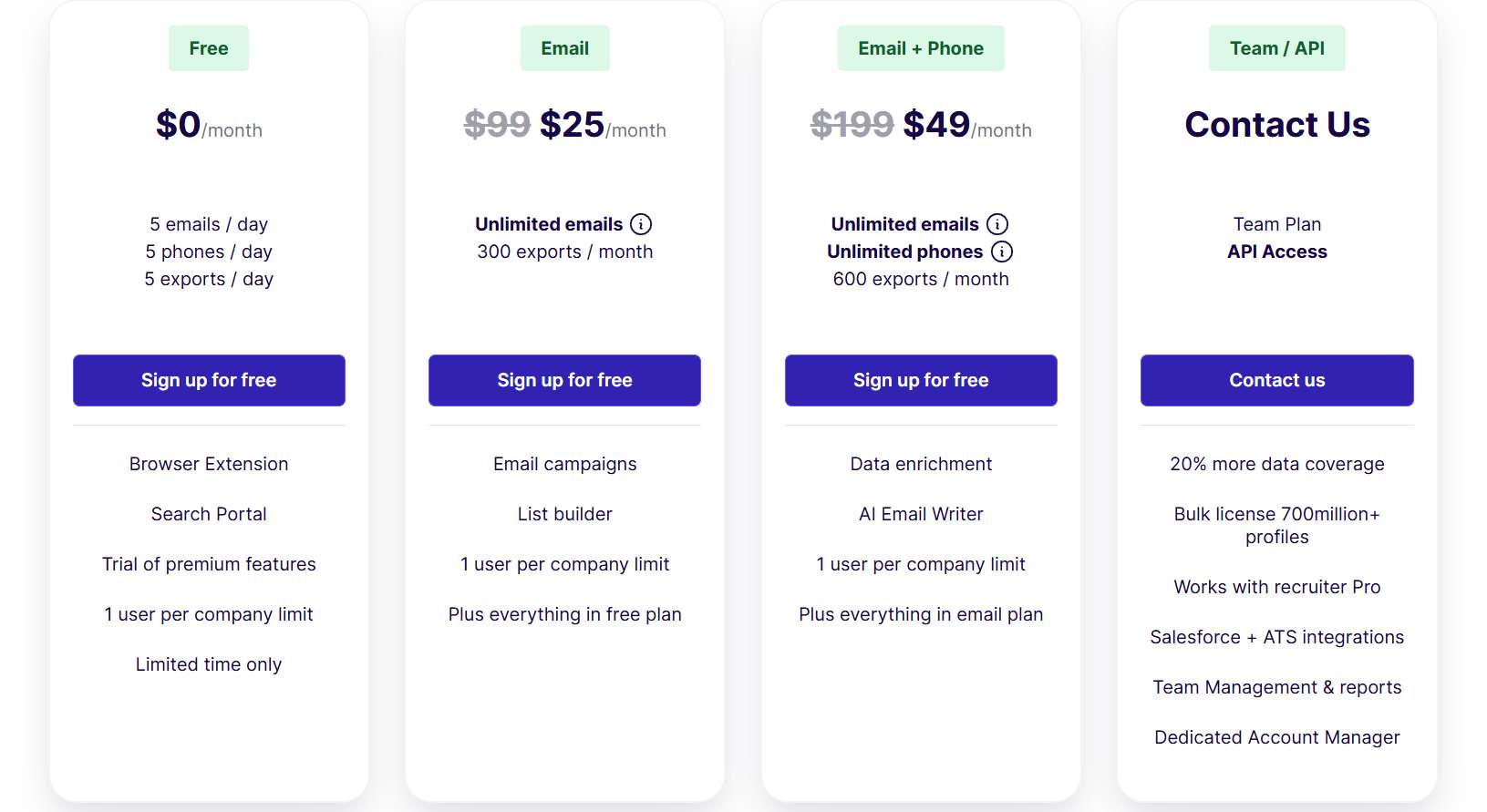
A few things the pricing page won't shout about:
Monthly billing costs more. The Email plan jumps from $49/mo annually to $79/mo on a month-to-month plan.
The "unlimited" caps are hard stops. Once you hit 2,000 emails or 1,000 phones in a month, you can't simply buy more credits. You wait for the reset or negotiate a custom plan.
It's per-seat with no shared pool. Five reps on the Email + Phone plan is $495/month, and each one is capped independently at their own ~600 exports.
No rollover. Unused credits reset every month. Pay for 2,000 emails, use 900, and the other 1,100 are gone.
So, Is ContactOut Worth It? Here's Who Should (and Shouldn't) Use It
ContactOut is a solid finder with a real accuracy asterisk. In one third-party test of 100 contacts it returned 42 valid emails with a 7% bounce rate, and business email accuracy generally lands around 75-85% for US contacts, below the marketed 99%.
Here's how that maps to real situations:
- ✅ Use ContactOut if you're a recruiter who needs personal email addresses at speed and your volume stays comfortably under 2,000 lookups a month.
- ✅ Use ContactOut if you want a fast, LinkedIn-native lookup and don't want to log into a separate database to prospect.
- ⚠️ Skip ContactOut if you're running outbound at scale. At 200+ lookups per week per rep you eat the monthly cap fast, with no rollover to soften the blow.
- ⚠️ Skip ContactOut if you're prospecting EU contacts using personal emails, given the GDPR exposure.
- ⚠️ Skip ContactOut if you want one tool that handles both the data and the multi-channel sequence. Its campaign layer has no LinkedIn automation and no deliverability tools.
That last point is the one nobody talks about. A verified email is step one. The reply comes from the follow-up sequence, not the lookup.
This is where a tool like SalesRobot picks up.
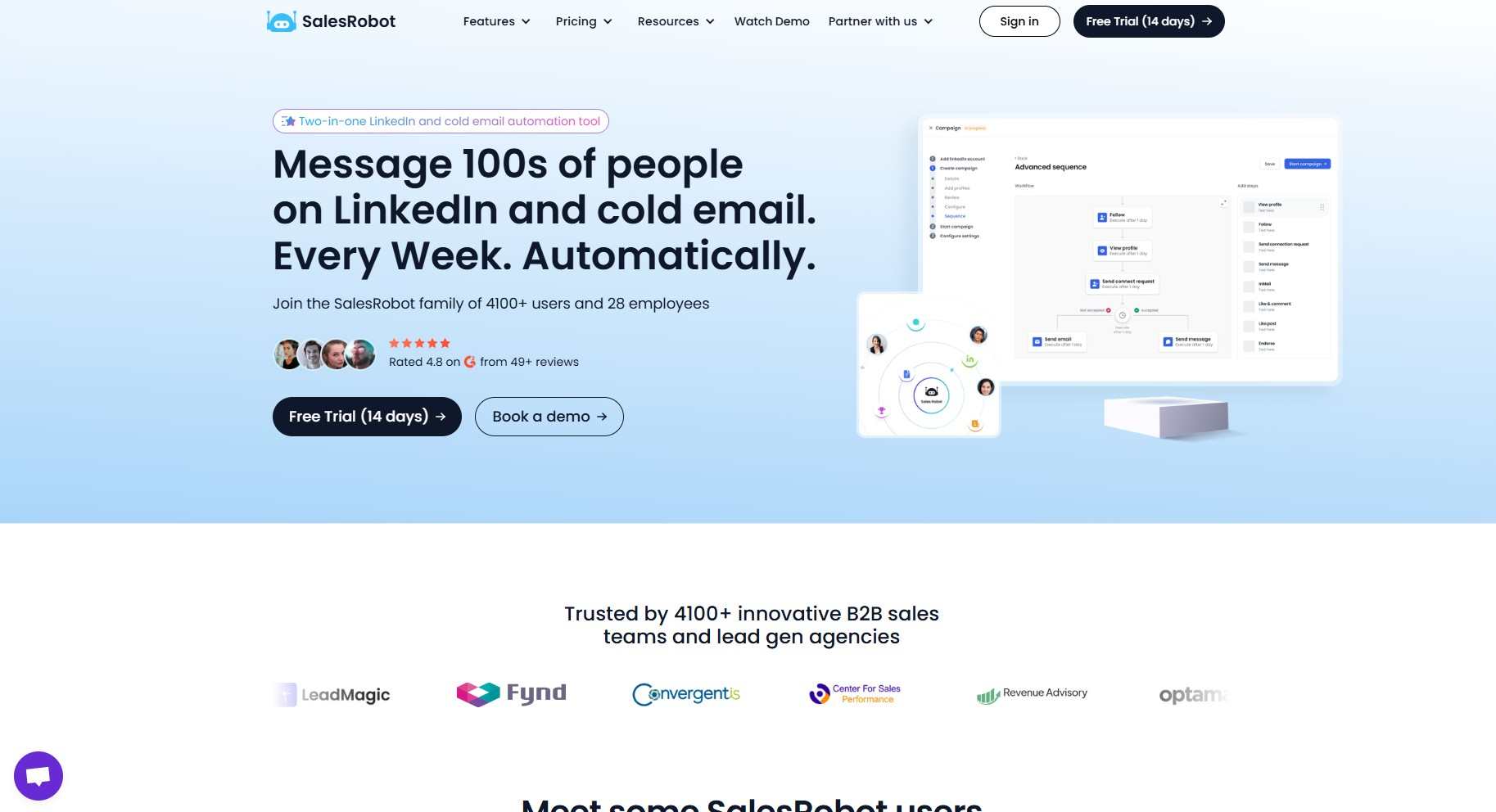
SalesRobot combines LinkedIn automation with cold email in one platform: a campaign can start on LinkedIn (connection request, then message, then follow-up) and automatically switch to email if the prospect goes quiet, with email warm-up and deliverability tools included so you stay out of spam.
At a basic level, here's what it handles once a contact is in the system:
- Multichannel sequences. One campaign can weave LinkedIn steps and email together, moving each prospect forward based on whether they connect, open, or reply.
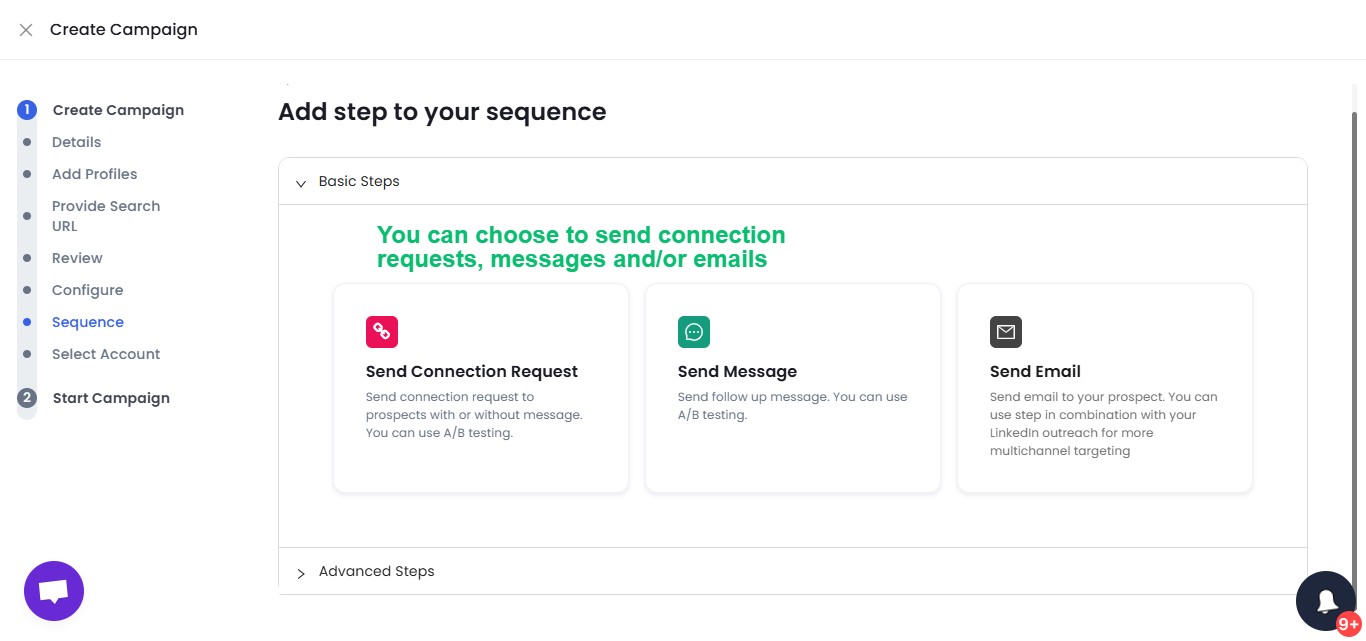
- AI-personalized messages. It writes icebreakers and follow-ups off each prospect's profile, so outreach reads personal instead of mass-sent.
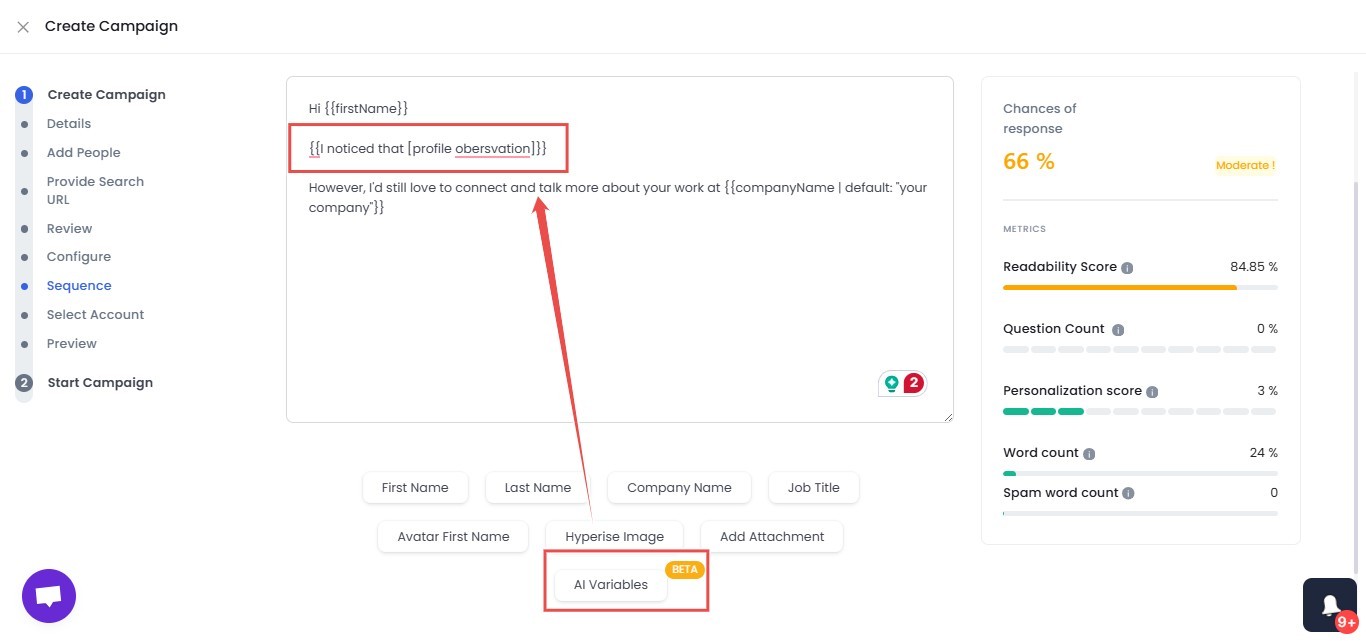
- AI appointment setter. It reads real details from each prospect's profile and drafts a fresh opening line for that specific person, so outreach lands like genuine one-to-one messaging instead of a template with the first name swapped in.
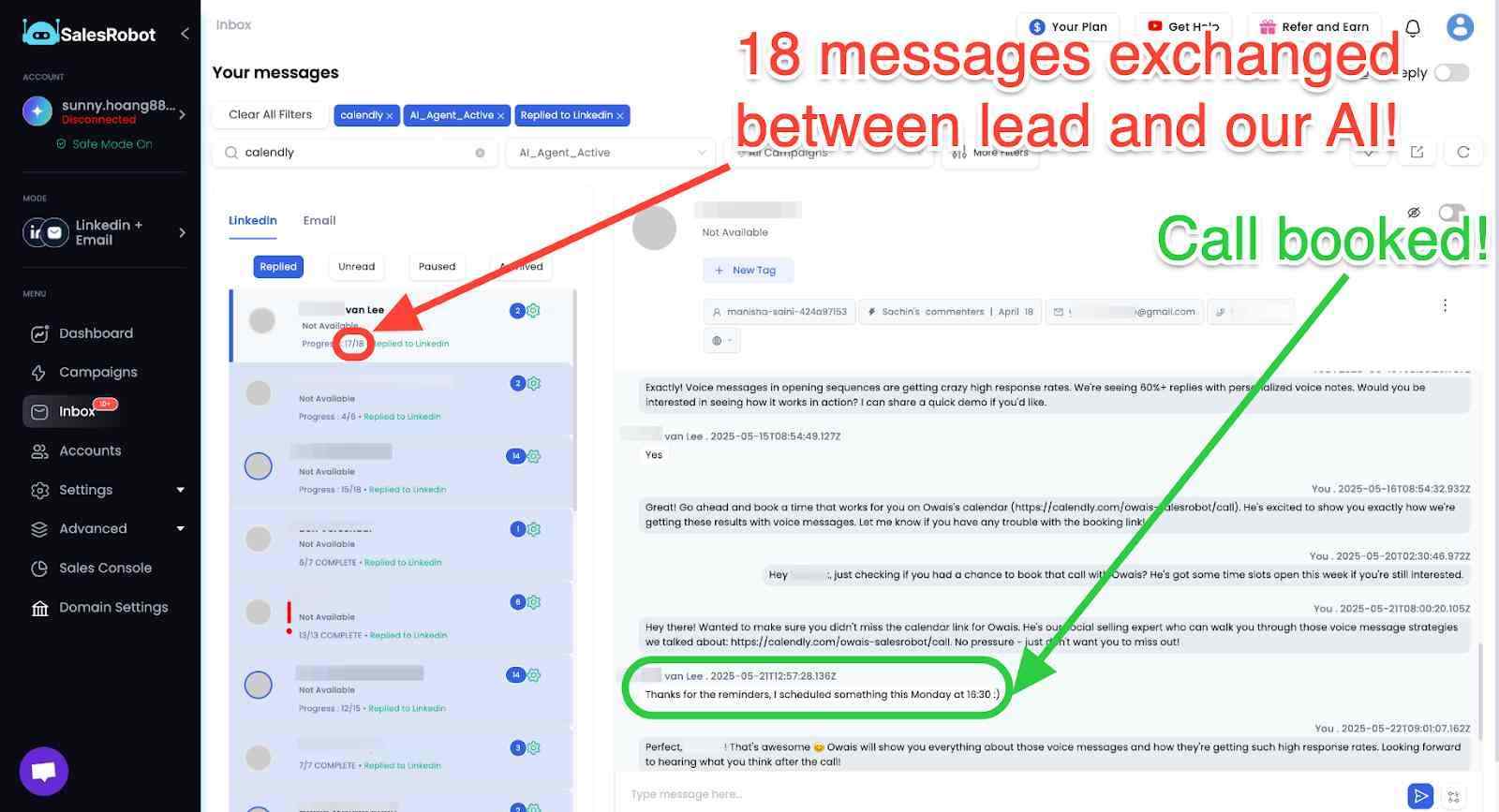
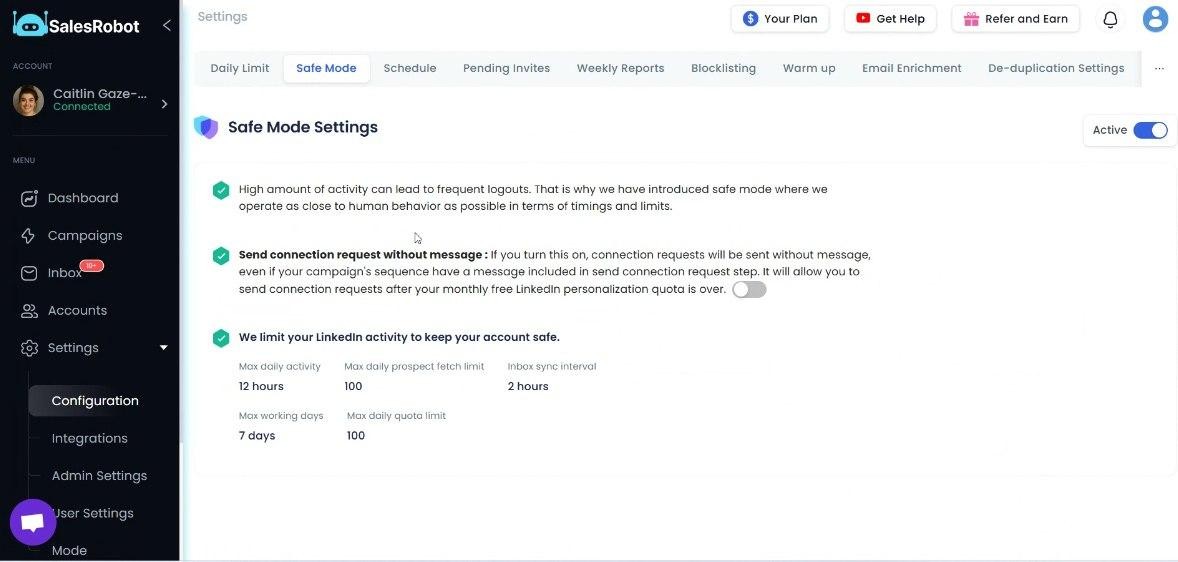
- Safe, cloud-based automation. It runs in the cloud on mobile-API tech and keeps you inside LinkedIn's weekly limits, so your account stays clean.
Frequently Asked Questions
Is ContactOut legit?
Yes, ContactOut is a legitimate company founded in 2015 and based in San Francisco. It holds a 4.4/5 rating on G2 from 109 reviews and around 4.8/5 on the Chrome Web Store. That said, its Trustpilot score sits at 1.4/5 from 113 reviews, mostly over consent and opt-out complaints worth weighing before you buy.
Is ContactOut really unlimited?
No. Despite "unlimited" marketing, ContactOut's terms of service cap paid plans at 2,000 email credits and 1,000 phone credits per account per month, roughly 91 email lookups per business day. Once you hit the ceiling, you can't buy more credits; you either wait for the monthly reset or negotiate a custom enterprise plan.
How accurate is ContactOut?
ContactOut markets 99% accuracy, but real-world results trail that. One third-party test of 100 contacts returned 42 valid emails with a 7% bounce rate. Business email accuracy generally lands around 75-85% for US contacts, while phone number reliability is lower, roughly 50-60%. Personal email coverage is its genuine strength.
Does ContactOut have a free plan?
Yes. ContactOut offers a free tier that includes 5 emails, 5 phone numbers, and 5 exports per day. It's enough to test the Chrome extension and judge accuracy on your own target accounts before committing to a paid plan starting at $49/month billed annually.
How do I delete my data from ContactOut?
You can request removal of your personal data through ContactOut's opt-out process, typically via their privacy or data-request page. Because ContactOut surfaces personal emails, several Trustpilot reviewers cite consent and opt-out friction, so document your request. If you're handling EU prospect data, factor GDPR obligations into your process.
The Bottom Line on ContactOut
ContactOut is a fast, LinkedIn-native email finder with a genuine edge in personal email coverage, and it's worth installing if your volume stays modest and your accuracy expectations stay realistic.
But be honest with yourself about two things: the "unlimited" label is marketing, not reality (2,000 emails and 1,000 phones a month, no rollover), and finding the email is only half the job.
The reply comes from the sequence. And that's the layer ContactOut doesn't own.
SalesRobot picks up exactly there, running LinkedIn and email sequences from one platform with built-in warm-up, trusted by 4,100+ B2B sales teams who see a 55% average reply rate. Plans start at $59/month, a fraction of most enterprise sales stacks.
Find the contact however you like, then let SalesRobot turn it into a booked meeting. Try it free for 14 days, no credit card required.

Wow your leads by cloning yourself and sending personalized videos and voice notes to each lead on LinkedIn.
If you don't reply to leads within 5 mins, your chances of converting them fall by 50%. Our AI replies on your behalf instantly! (and yes, you can train it)

Don't shoot in the dark. Get detailed analytics on what's working

SalesRobot allows you to invite other team members, so that they can add their LinkedIn Account, run outreach campaigns and get amazing results just like you.
.avif)


Trusted by 4100+ innovative B2B sales teams and lead gen agencies

.avif)

.avif)




.avif)


Heading 1
Heading 2
Heading 3
Heading 4
Heading 5
Heading 6
Lorem ipsum dolor sit amet, consectetur adipiscing elit, sed do eiusmod tempor incididunt ut labore et dolore magna aliqua. Ut enim ad minim veniam, quis nostrud exercitation ullamco laboris nisi ut aliquip ex ea commodo consequat. Duis aute irure dolor in reprehenderit in voluptate velit esse cillum dolore eu fugiat nulla pariatur.
Block quote
Ordered list
- Item 1
- Item 2
- Item 3
Unordered list
- Item A
- Item B
- Item C
Bold text
Emphasis

Superscript
Subscript