.avif)
TL;DR:
LinkedIn follow-up messages are crucial for B2B success, with 65% of prospects responding after 3 follow-ups and average response rates ranging from 10-15%.
Use personalized messaging under 300 characters, reference specific details, and follow up consistently to achieve response rates above 30%.
This blog is for you…
If you've ever stared at a blank screen, wondering how to craft the perfect follow-up message.
Or, if you find yourself using the same old phrases like "Just checking in" for every follow-up.
Then this blog is exactly what you need.
I've spent the last 5 years consulting clients on how to boost response rates through cold outreach.
In this blog, I'm sharing crucial insights I've learned over the years, along with 21 ready-to-use templates.
Today, I'll cover:
- Why you should follow up on LinkedIn.
- 5 tips for writing an effective LinkedIn follow-up message.
- 21 free templates to help you get started.
- How to automate follow-ups messages.
If you wonder, "Why should I follow up?"
Well, because our data shows that 65% of your prospects reply after 3 follow-ups.
Yet, many people skip follow-ups—even when they can be automated.
Let me show you how!
Why Should You Follow-Up on LinkedIn?
Following up on LinkedIn isn't just a nice gesture—it's a strategic move to grow your professional network. LinkedIn messages achieve an 85% reply rate, which is 3 times higher than traditional email responses. I've even seen people offer a pair of brand new AirPods if the prospect replies—and it works. Here's why:
1. Strengthen Connections
A follow-up shows you're committed to building a long-term relationship. It shows you are ready to put in the effort to know the prospect.
2. Stay Top of Mind
Tbh, I get 10-20 DMs every day, and I never open any chat with just 1 unread message. I only click on those with 2 or more unread messages.
And this is exactly how most prospects do.
Your first message can easily get lost. But a well-timed follow-up ensures you stay on your connections' radar. Tuesday has the highest LinkedIn reply rates at 6.90%, followed closely by Monday at 6.85%.
3. Maintain Momentum
If you've had a great conversation with someone at an offline event, following up helps keep that momentum alive and opens the door for new opportunities.
4. Show Professionalism
Regular follow-ups demonstrate your dedication and help build trust with your connections. I'd say following up twice a week is a great start. Companies that actively track and refine their LinkedIn outreach achieve a 65% higher conversion rate than those who don't.
5. Enhance Your Brand
Thoughtful follow-ups position you as a proactive, reliable professional, boosting your personal brand. Response rates ranging from 10% to 15% are average, while rates above 30% place you in the top tier.
While you are at it, make sure to note the following…
5 Tips To Write A Good Follow-Up LinkedIn Message
1️⃣ Use the recipient's first name
This helps maintain a friendly and personable tone while remaining professional. Outreach messages that reference a prospect's job change, content, or company news see 27% higher reply rates. 😊
Example: "Hi Sarah, I hope you're doing well!"
2️⃣ Start by thanking them for their time and conversation
It leaves a positive impact.
Example: "Thanks again for chatting with me earlier today!"
3️⃣ Remind them of who you are
Reference a specific detail from your last conversation. Every connection request or message should show genuine interest and a clear reason for reaching out.
Example: "It was great talking to you after your presentation on SEO at the Marketing Summit last week."
4️⃣ Keep it short and clear.
The most effective LinkedIn messages stay under 300 characters and get 19% more responses than longer, pitch-heavy alternatives. Research shows emails of 75-100 words work best.
Example: "I wanted to quickly follow up on our conversation about collaborating on your upcoming project."
5️⃣ Be clear about next steps
Suggest a couple of dates for a meeting.
Let them know it's okay to say no if now's not a good time.
Example: "If you're free, could we set up a call next Tuesday or Thursday? If now's not a good time, no worries at all!"
21 Free Follow up LinkedIn Message Templates
Here are 21 follow-up message templates that you can use:
Case 1: Follow-Up LinkedIn Message After No Response

Case 2: LinkedIn Message Templates for Job Seekers and Recruiters

Case 3: Follow-Up LinkedIn Message After Networking

Case 4: Follow-Up LinkedIn Message on a Podcast Invite

Case 5: Follow-Up LinkedIn Message on a free resource
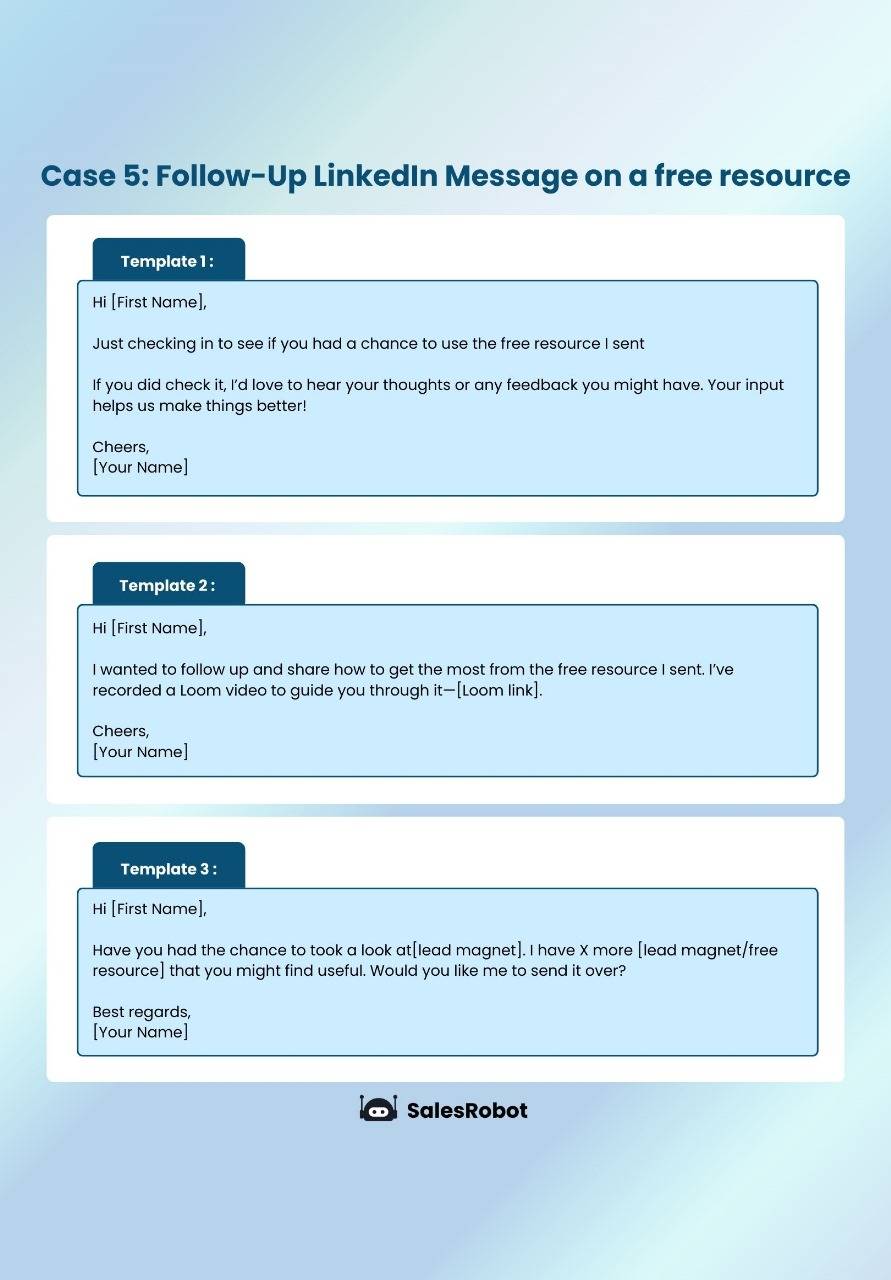
Case 6: Follow-Up LinkedIn Message for a survey

Case 7: Follow-Up LinkedIn Message for webinar attendee

Bonus: Follow-Up LinkedIn Message after a cold call

Including a personalized note with a connection request increases acceptance rates by up to 58%, especially in B2B tech and SaaS sectors. The legal and professional services sectors show the highest response rate at 10.42%.
LinkedIn Referral Message Template
When reaching out for referrals, personalization is key. Reference your mutual connection and clearly state why you're reaching out. Keep your message professional and concise, explaining how the referral could benefit both parties.
At first, sending follow-up messages feels simple. You send one here, another there, and it works fine.
But then you try to scale—sending dozens or even hundreds of messages.
And that's when things get tricky.
Suddenly, it's chaos.
- Keeping track of who to message next feels impossible.
- You're copying, pasting, and juggling spreadsheets.
- Worse, you start missing people.
- Your messages feel rushed and robotic.
It's frustrating and overwhelming and makes scaling your outreach a nightmare.
The Solution is…
🥁
🥁
🥁
To automate follow-up.
How To Automate Follow-Up Messages
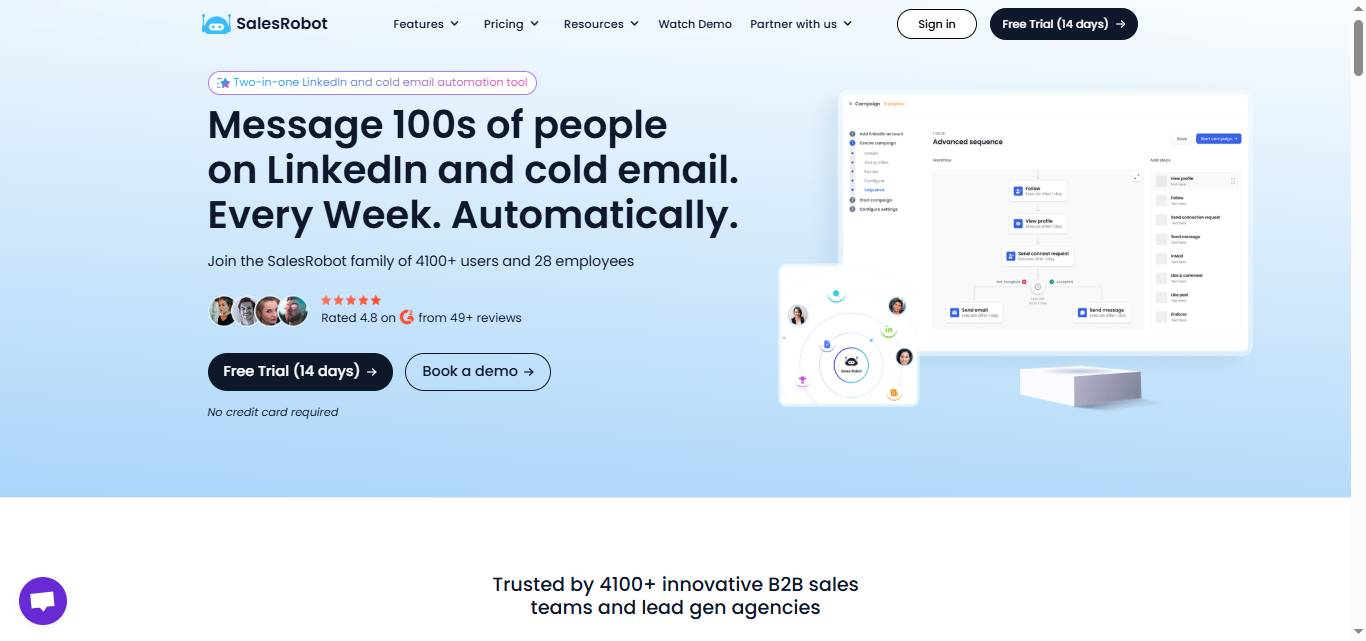
SalesRobot is a LinkedIn and email automation that helps SDRs, marketing agencies, and sales teams automate all the boring tasks such as sending a connection request, writing a message, following up, and more.
You don't need to worry about writing follow-ups or doing the heavy lifting. SalesRobot's AI takes care of the whole campaign, from sending connection requests to nurturing leads and getting prospects to book calls with you.
All you have to do is show up to the call and close the deal.
Here's how:
1. Set Up Your Campaign
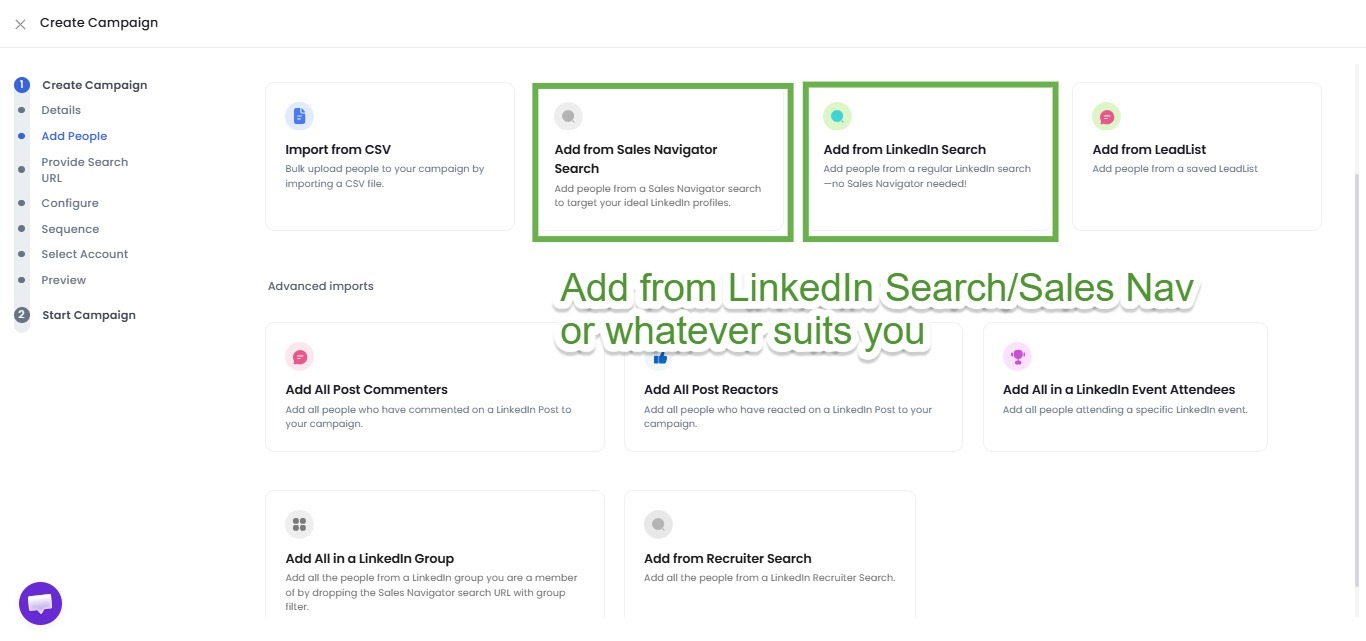
2. Create Follow-Up Sequences
Either create from scratch or use our AI to create a follow-up sequence.

3. Plan a series of follow-up messages to send in case of no reply
You can even send personalized voice and video notes as follow-up.

And run the campaign.
4. You can even use the AI Appointment Setter that automatically responds to prospects and books meetings on your behalf.
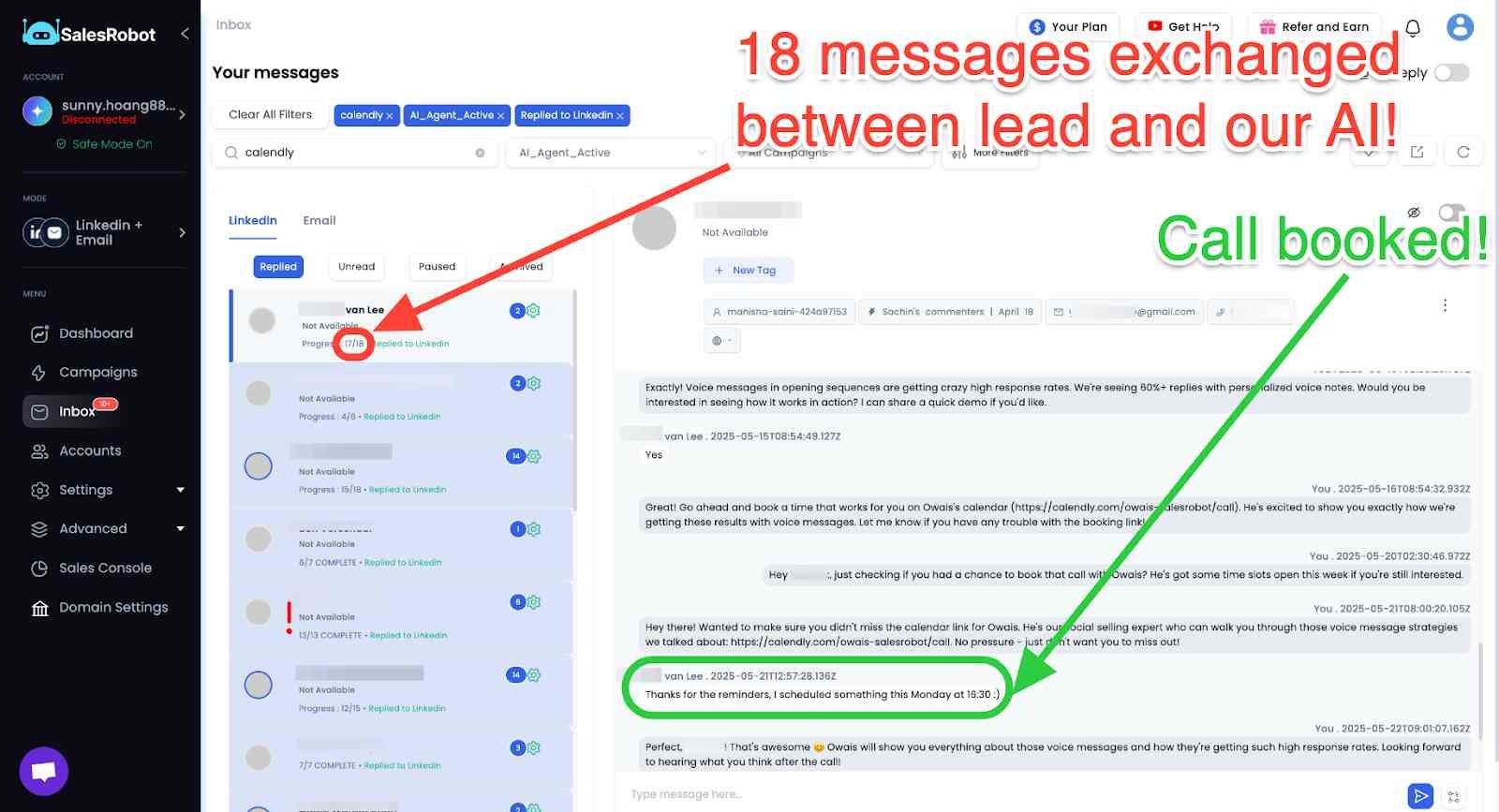
And that's it, you're all set!
You can even generate a full SOP that defines exactly how you want your messages to sound.
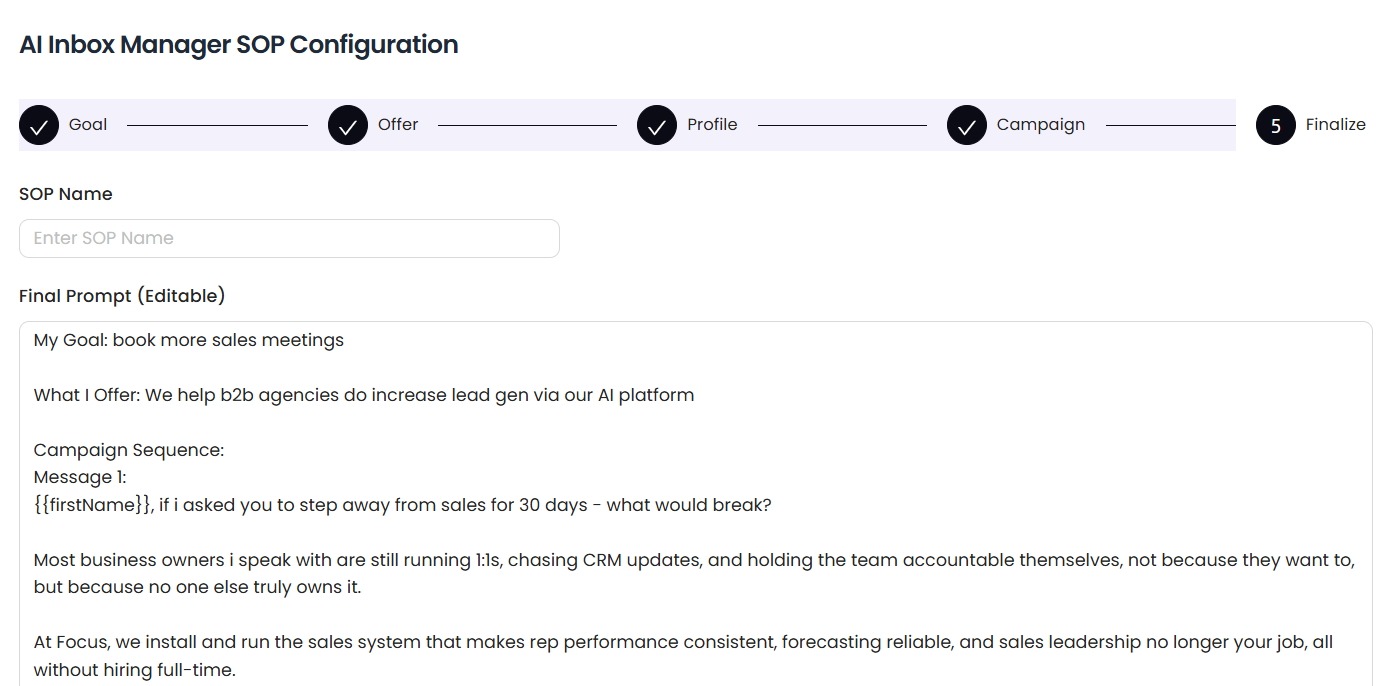
With SalesRobot, you get more done in less time—no more stress, no more missed opportunities.
It's the easiest way to stay on top of your outreach.
Conclusion
Most prospects won't reply to your first message.
In fact, it's common for outreach efforts to initially go unnoticed or be forgotten amid the noise of busy inboxes and notifications.
However, persistence is key, and the way you follow up can make all the difference.
So, make sure to follow up at least 3 times and use the templates shared above.
Each follow-up provides an opportunity to engage, refine your message, and show that you're genuinely invested in connecting.
And If it gets frustrating or time-consuming to keep following up, use SalesRobot.
SalesRobot can fix this.
With SalesRobot, you can:
- Automate your follow-ups and never miss an opportunity.
- Personalize messages at scale, ensuring each prospect feels valued.
- Save time by eliminating the need for manual outreach, letting you focus on high-value activities.
Boost your response rates by delivering the right message to the right person at the right time.
All this starting at only $59/month.
It works for both LinkedIn and email.
Over 4,100 customers have found it effective.
If interested, take the 14 day free trial and try the tool on your own.
We don't even ask for your Credit Card details.
{{mobile-cta}}
Frequently Asked Questions
Is it unprofessional to message on LinkedIn at night?
Messaging on LinkedIn at night isn't unprofessional, but timing can affect response rates. Tuesday and Monday show the highest reply rates (6.90% and 6.85% respectively), while weekends see lower engagement. Consider your prospect's time zone and industry norms for optimal results.
When you delete a message on LinkedIn does the other person know?
When you delete a LinkedIn message, the other person won't receive a notification about the deletion. However, if they've already seen the message, they might notice it's gone. LinkedIn allows message deletion within 60 minutes of sending for premium members.
How to delete LinkedIn message after 60 minutes?
LinkedIn premium members can delete messages within 60 minutes of sending. After this window, messages cannot be deleted or edited. This feature is only available for premium accounts and applies to direct messages, not connection requests.
What makes a good LinkedIn message subject line?
Effective LinkedIn message subject lines are concise, personalized, and clearly state your purpose. Reference something specific about the recipient's profile, recent activity, or mutual connections. Keep it under 50 characters and avoid sales-heavy language to improve open rates.

Wow your leads by cloning yourself and sending personalized videos and voice notes to each lead on LinkedIn.
If you don't reply to leads within 5 mins, your chances of converting them fall by 50%. Our AI replies on your behalf instantly! (and yes, you can train it)

Don't shoot in the dark. Get detailed analytics on what's working

SalesRobot allows you to invite other team members, so that they can add their LinkedIn Account, run outreach campaigns and get amazing results just like you.
.avif)


Trusted by 4100+ innovative B2B sales teams and lead gen agencies

.avif)

.avif)




.avif)